



Every incoming phone call takes time.
Someone has to answer it, determine what the caller needs, find the right employee, transfer the call, and sometimes repeat the process when the first person is unavailable. For a business receiving only a handful of calls each day, that may not seem significant. For a busy office receiving dozens or hundreds of calls, those minutes add up quickly.
Modern phone systems for small business can reduce that workload through intelligent call routing, auto-attendants, ring groups, call queues, voicemail routing, and other automated features. Instead of requiring an employee to manually direct every call, the phone system can help callers reach the right person or department automatically.
At Unify Marketing & Technology Solutions, we help organizations throughout Maumee, Toledo, Perrysburg, Sylvania, Northwest Ohio, and Southeast Michigan design phone systems around how their teams actually communicate.
The goal is not simply to automate phone calls. It is to reduce repetitive work, improve the caller experience, and help employees spend more time on the tasks that actually require their attention.
What Is Call Routing?
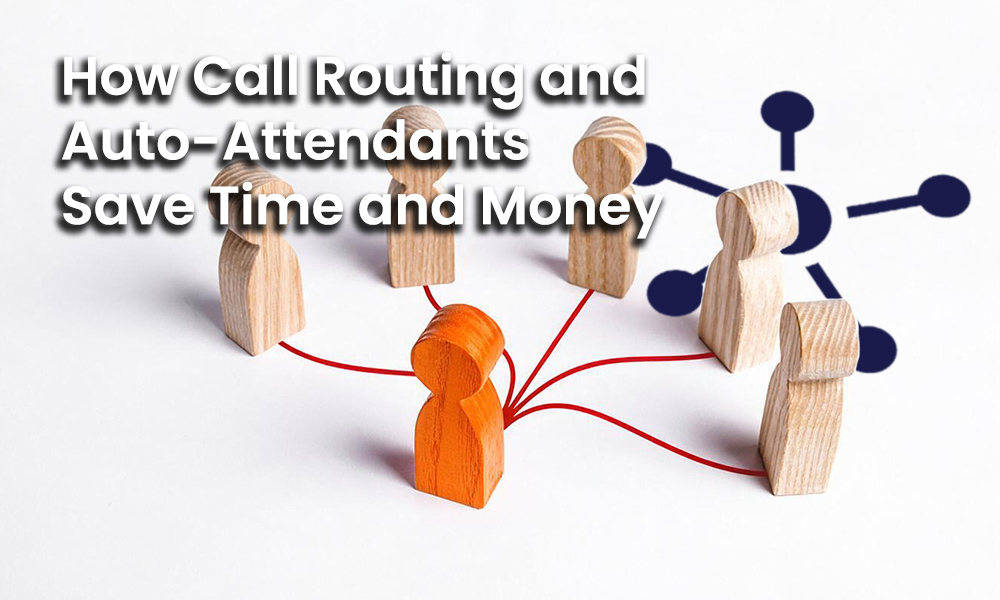
Call routing determines where an incoming call goes. The simplest example is routing the company's main phone number to a receptionist. Modern phone systems for small business can go much further.
Calls can potentially be routed based on:
- The number the customer dialed
- The option selected from a menu
- The department needed
- The time of day
- Whether employees are available
- The caller's position in a queue
- Business hours
- Holidays
- After-hours schedules
A customer calling sales might be sent directly to the sales team. Someone needing technical support could be routed to support. A caller reaching the company after hours could hear a different message and be sent to voicemail or another destination. Good call routing reduces the amount of manual work required to connect callers with the right people.
Modern cloud phone systems can provide automated call flows, ring groups, queues, extensions, and real-time routing changes from a centralized system.
What Is an Auto-Attendant?
An auto-attendant is the automated voice menu callers hear when contacting a business. You have probably heard one countless times: "Thank you for calling. For sales, press 1. For service, press 2. For billing, press 3."
The concept is simple, but a well-designed auto-attendant can significantly reduce the number of calls employees have to manually transfer. Instead of every caller reaching the front desk first, people can select the department they need.
That means the receptionist can spend more time helping customers who actually require assistance and less time acting as a human switchboard. For many phone systems for small business, that is one of the easiest ways to improve call efficiency.
Call Routing Reduces Repetitive Transfers
Consider a business that receives 100 calls each day. If half of those calls first reach a receptionist and need to be transferred, the receptionist may perform 50 transfers every day. Even if identifying the caller's needs and completing the transfer takes only one minute, that is nearly an hour of employee time every day.
Over a five-day workweek, that becomes roughly five hours. Over an entire year, the amount of time spent simply redirecting phone calls can become significant. An effective auto-attendant can handle many of these routine transfers automatically.
Employees still remain available when callers need help, but they no longer have to manually process every basic request.
That is one of the practical ways a modern business voip solution can help reduce administrative overhead.
Customers Reach the Right Person Faster
Saving employee time is important, but call routing also benefits customers. Nobody enjoys being transferred repeatedly.
A caller explains the reason for the call to one employee, gets transferred, explains everything again, and then discovers they reached the wrong department. That creates frustration before the actual conversation even begins. A well-designed call flow helps reduce unnecessary handoffs.
For example:
- New customers can go directly to sales
- Existing customers can reach service
- Billing questions can go directly to accounting
- Employees can be reached through a directory
- General questions can still go to reception
The fewer unnecessary steps between the caller and the person who can help them, the better the experience.
Ring Groups Keep Calls From Depending on One Person
What happens when a customer calls an employee who is already on another call? With an older system, the caller may immediately reach voicemail. Modern phone systems can use ring groups to distribute calls across several employees.
For example, a sales call could ring:
- The primary salesperson
- Several sales employees at once
- Another salesperson if nobody answers
- A sales voicemail box as the final destination
Businesses can customize the process around the way employees actually work. This is especially useful when several employees are capable of handling the same request. Instead of making customers repeatedly call back looking for someone who is available, the phone system can do more of that work automatically.
Call Queues Help During Busy Periods
Some businesses experience predictable spikes in call volume. Medical offices may receive many calls first thing in the morning. Service companies may experience heavier volume after severe weather. Retail businesses may get more calls around holidays. A call queue can help organize those incoming calls.
Instead of callers immediately reaching voicemail when everyone is busy, the system can place them in line until an employee becomes available.
Depending on the business voip solution, callers may hear:
- Music on hold
- Informational announcements
- Their queue position
- Estimated wait information
- Custom messages
For organizations handling higher call volumes, more advanced call center features can provide queue management, reporting, agent monitoring, custom prompts, and performance analytics.
Auto-Attendants Can Handle Calls After Hours
Employees should not have to manually manage incoming calls when the office is closed. Auto-attendants can change behavior based on time schedules. During business hours, a caller may hear: "Press 1 for sales, 2 for service, or 3 for accounting."
After hours, the message could change: "Our office is currently closed. Please leave a message and a member of our team will return your call." Calls could also be routed to an after-hours employee, emergency line, voicemail box, or another destination.
This creates consistency while reducing the need for staff to manually adjust phone settings every evening.
Holiday schedules can also be configured so callers hear an appropriate message when the office is closed.
Remote Employees Can Be Part of the Same Call Flow
Modern businesses are no longer limited to employees sitting beside physical desk phones. A business voip solution can allow employees to make and receive business calls through:
- Desk phones
- Computers
- Web browsers
- Mobile applications
- Softphones
That means call routing can include employees regardless of whether they are working in the main office, at another branch, at home, or traveling. UNIFY's U-Reach Cloud PBX supports calling from desk phones, browsers, computers, and mobile devices while providing centralized call management and automated call flows.
For businesses with hybrid employees or multiple offices, this flexibility can significantly simplify communication.
Call Routing Can Connect Multiple Locations
A growing company may have an office in Maumee, another location in Toledo, and employees elsewhere in Northwest Ohio or Southeast Michigan. Traditional phone systems can make multiple locations more complicated. Modern cloud-based phone systems for small business can help bring those locations under a common communication system.
A caller may dial one main number and choose the location they need.
For example: "Press 1 for our Maumee office. Press 2 for Toledo."
Alternatively, the business can route calls based on department rather than physical location. A centralized system can make a multi-location company feel like one organization instead of several disconnected offices.
Better Routing Can Reduce Missed Calls
A missed call can mean a missed opportunity. A potential customer may call several businesses while looking for a service.
If the first company does not answer, the caller may simply try the next one.
Call routing can reduce this problem by providing backup destinations.
If one employee does not answer, the call can move to another employee.
If nobody in the department is available, it can enter a queue.
If the office is closed, it can reach voicemail.
The objective is to avoid unnecessary dead ends.
A well-planned business phone installation should consider what happens not only when everything goes normally, but also when the intended employee cannot answer.
Phone Systems Can Reduce Interruptions
Constant phone interruptions hurt productivity. Imagine an employee in accounting who receives calls intended for sales simply because their extension happens to be near the main phone. Each interruption requires them to stop what they are doing, understand the request, transfer the caller, and then refocus.
Call routing can prevent many of those unnecessary interruptions. Employees receive more of the calls that actually relate to their jobs. This sounds like a small improvement, but repeated interruptions throughout an entire workday can significantly affect productivity.
Your Auto-Attendant Should Stay Simple
Automation can save time, but too much automation can create the opposite problem. Nobody wants to listen to a five-minute menu containing twelve different options. A good auto-attendant should be easy to understand.
For many businesses, a simple structure works best:
"Press 1 for sales."
"Press 2 for support."
"Press 3 for billing."
"Press 0 for reception."
The exact structure depends on the organization.
A medical office will have different needs than a manufacturer, law office, municipality, warehouse, or retail business.
The goal is to make it easier for callers to reach the correct destination, not to create a maze.
Reporting Can Show Where Calls Are Going
Another advantage of modern phone systems is reporting. Businesses can review information such as:
- Incoming call volume
- Missed calls
- Answered calls
- Call duration
- Queue activity
- Peak calling periods
- Agent activity
That information can help management identify problems.
For example, if a business consistently misses calls between noon and 1 p.m., staffing or call routing may need to be adjusted. If one department has much higher call volume than expected, additional employees may need to be included in the ring group.
Modern communication systems can provide information that allows call handling to improve over time instead of relying entirely on guesswork.
Business Phone Installation Includes More Than Plugging In Phones
Choosing the right phone system is only part of the project. Professional business phone installation should consider:
- Call flow design
- Auto-attendant menus
- Extensions
- Ring groups
- Call queues
- Business hours
- Holiday schedules
- Voicemail
- Phone placement
- Network infrastructure
- Internet connectivity
- Employee training
- Testing
UNIFY provides both cloud and on-premise business phone systems, along with system design, configuration, installation, network integration, and support. The technology should be configured around how the organization communicates rather than forcing the business to change its workflow to fit the phone system.
Your Network Matters for VoIP Calls
A modern VoIP system depends on the network supporting it. Poor cabling, unreliable switches, network congestion, or unstable internet service can affect call quality. Potential symptoms include:
- Choppy audio
- Delayed conversations
- Dropped calls
- Phones disconnecting
- One-way audio
That is why business phone installation and network planning often need to happen together. Our article How Poor Cabling Causes Network Problems explains how VoIP phones rely on the network path between the phone, wall jack, patch panel, switch, firewall, and internet connection.
A great phone system still needs reliable infrastructure behind it.
Better Phone Systems Can Scale With the Business
A small company may start with ten employees. Several years later, it may have thirty employees, multiple departments, remote staff, and another location. A modern business voip solution makes it easier to adapt. Businesses can add:
- New extensions
- Additional departments
- New ring groups
- Remote employees
- Mobile users
- Additional locations
- More advanced call routing
UNIFY's cloud phone platform allows businesses to add users, adjust call routing, manage extensions, and expand to multiple locations through centralized administration.
That scalability can reduce the need to replace the entire phone system every time the organization changes.
Call Routing Should Match How Your Business Works
There is no universal call flow that works for every organization. A small professional office in Maumee may need a straightforward auto-attendant with three departments.
A manufacturer in Toledo may need separate routing for sales, purchasing, shipping, and production.
A medical practice in Perrysburg may need queues to handle busy morning calls.
A business in Sylvania may have employees answering calls from both the office and home.
A multi-location company throughout Northwest Ohio and Southeast Michigan may need one system connecting several offices.
The best phone systems for small business are designed around these differences. That means understanding who calls, why they call, which employees should answer, and what should happen when nobody is available.
Save Employee Time Without Making Calls Impersonal
Some businesses hesitate to use auto-attendants because they do not want customers to feel like they are talking to a machine. That concern is understandable. The solution is not necessarily to avoid automation. It is to use automation carefully.
A short menu can help customers reach a real person faster.
A ring group can prevent callers from immediately reaching voicemail.
A queue can keep customers connected when employees are busy.
An after-hours message can clearly explain when someone will respond.
The technology should remove unnecessary steps, not remove the human interaction customers actually need.
For businesses throughout Maumee, Toledo, Perrysburg, Sylvania, Bowling Green, Northwest Ohio, and Southeast Michigan, a thoughtfully designed phone system can improve both customer service and internal efficiency. The right business voip solution does more than make the phone ring. It helps make sure the right phone rings at the right time.
Frequently Asked Questions
What is call routing in a business phone system?
Call routing determines where incoming calls are sent. Calls can be routed to individual employees, departments, ring groups, queues, voicemail, auto-attendants, or different destinations based on schedules and other rules.
What is an auto-attendant?
An auto-attendant is an automated phone menu that allows callers to select where their call should go, such as sales, service, billing, or reception.
How can an auto-attendant save a business money?
An auto-attendant can reduce the amount of employee time spent answering and manually transferring routine calls. It can also help callers reach the correct department faster.
Are phone systems for small business expensive?
Costs vary depending on the number of users, phones, features, deployment model, and installation requirements. Cloud systems can reduce the amount of on-site PBX hardware required and typically make adding or removing users easier.
What is a business VoIP solution?
A business VoIP solution uses internet-based technology to carry voice calls and provide features such as extensions, call routing, mobile apps, softphones, auto-attendants, voicemail, and reporting.
Can VoIP employees answer calls from home?
Yes. Many modern VoIP systems allow employees to use mobile applications, computers, browsers, or compatible desk phones outside the main office.
Can a phone system route calls differently after hours?
Yes. Businesses can configure different call flows for business hours, after-hours periods, weekends, holidays, and other schedules.
Can call routing work across multiple offices?
Yes. Modern phone systems can route calls between departments and employees in different locations, making them useful for businesses with multiple offices.
Does business phone installation require network work?
It may. VoIP phones rely on network infrastructure, so cabling, switches, firewalls, internet connectivity, and network configuration should be evaluated during installation.
Does UNIFY provide business phone installation in Northwest Ohio?
Yes. UNIFY provides cloud and on-premise business phone systems, professional installation, configuration, network integration, and ongoing support for organizations throughout Northwest Ohio and Southeast Michigan.