


The traditional office phone is no longer the only way employees can answer a business call. Modern softphone systems allow employees to use their computer, web browser, smartphone, or other compatible device as an extension of the company phone system.
That flexibility gives businesses more choices, but it also creates an important question: Should your employees use traditional desk phones, softphones, or a combination of both?
There is no single answer that works for every organization. A receptionist answering dozens of calls throughout the day has very different communication needs than a salesperson who spends most of the week visiting customers. The best setup depends on how your employees work, where they work, and how they communicate with customers.
Modern business VoIP solutions can support both approaches, allowing businesses to choose the right device for each employee instead of forcing everyone into the same setup.
What Is a Softphone?
A softphone allows an employee to use business phone features through a computer, browser, tablet, or smartphone rather than relying exclusively on a physical desk phone.
Depending on the platform, softphone systems can allow employees to:
- Make and receive business calls
- Transfer calls
- Access voicemail
- View call history
- Manage contacts
- See coworker availability
- Send messages
- Use company caller ID
- Access business extensions remotely
- Move between devices
UNIFY's U-Reach Cloud PBX allows users to make and receive calls from desk phones, computers, browsers, and mobile devices. Its web application also gives employees access to calling, messaging, contacts, customer interactions, and call history from a browser.
This type of setup can be particularly useful for businesses with remote employees, employees who travel between locations, or teams that spend much of the day working from computers.
Why Desk Phones Are Still Useful
With so many communication tools available on computers and smartphones, it can be tempting to assume desk phones are becoming unnecessary.
For many employees, they are still extremely practical.
A physical desk phone gives the user a dedicated device for business calls. Employees do not need to keep a browser tab open, wear a computer headset all day, or depend on their personal smartphone to answer customers.
Desk phones can be especially useful for:
- Receptionists
- Administrative employees
- Customer service teams
- Dispatchers
- Medical or professional offices
- Employees who handle a high volume of calls
- Shared work areas
- Conference rooms
- Employees who rarely work away from their desks
Physical buttons can also make frequent call handling easier. Employees who regularly place calls on hold, transfer customers, monitor extensions, or manage several lines may prefer having dedicated controls directly in front of them.
Traditional phones remain an important part of many modern business phone systems, even when the underlying platform is cloud based.
The Biggest Advantage of Softphone Systems: Flexibility
The main benefit of softphone systems is that the employee's business extension is no longer tied to one desk.
An employee can potentially answer a business call from the office in the morning, work from home that afternoon, and remain reachable from a mobile device while traveling the following day.
That can be valuable for businesses with:
- Remote employees
- Hybrid schedules
- Multiple offices
- Sales representatives
- Field technicians
- Managers who frequently leave the office
- Employees who travel between facilities
For businesses throughout Northwest Ohio and Southeast Michigan, this flexibility can also help when employees cannot easily reach the office because of travel, weather, schedule changes, or temporary building closures.
Instead of forwarding a company number to an employee's personal cell phone, a cloud phone platform can allow the employee to use the company's phone system from another device while maintaining a professional business presence.
Desk Phones Keep Work and Personal Devices Separate
Not every employee wants business calls coming through a personal smartphone.
Even when mobile applications keep the company number separate from the employee's personal number, some employees may still prefer a dedicated work device.
Desk phones create a clear separation.
When the employee is at work, the desk phone is available. When the employee leaves, calls can follow whatever routing rules the business has configured.
That simplicity can be especially helpful for employees who have no reason to answer calls outside the office.
A professional business phone installation can be designed around those roles. Some employees may receive physical phones while others use mobile or desktop applications.
Softphones Can Reduce the Amount of Hardware You Need
Deploying a physical phone for every employee means purchasing, installing, configuring, and eventually replacing additional hardware.
Softphones can reduce that requirement.
An employee who already spends most of the day using a laptop and headset may not need another device sitting on the desk. This can be useful for growing businesses, temporary employees, remote workers, or organizations where workspaces frequently change.
Cloud-based business phone systems can also make it easier to add users without installing additional on-site PBX equipment.
That does not mean eliminating desk phones is always the best financial decision. The better goal is to avoid buying hardware that employees do not actually need.
Softphones Work Well With Computer-Based Workflows
One important advantage of a softphone is its proximity to the applications an employee is already using.
If someone spends most of the day inside a CRM, web browser, email platform, or customer service application, handling calls from the computer can create a more streamlined workflow.
U-Reach, for example, supports browser-based calling, CRM integrations, screen pops, contact syncing, call logging, and click-to-dial functionality.
Instead of looking up a number and manually entering it into a desk phone, an employee may be able to start a call directly from the computer.
For sales, service, and support teams, reducing those small repetitive steps can make communication easier throughout the day.
Businesses interested in connecting communications more closely with customer information may also want to explore UNIFY's CRM software.
Desk Phones Can Be Better for High-Volume Call Handling
Flexibility is valuable, but convenience looks different for someone answering calls continuously.
A receptionist may need to quickly:
- Answer incoming calls
- Place callers on hold
- Transfer calls
- Monitor coworker extensions
- Reach employees internally
- Handle several calls at once
A dedicated desk phone can make those actions fast and familiar.
Good business phone systems should be designed around the actual workload of the employee. Giving every employee a softphone simply because the technology supports it may create unnecessary frustration for people who would be more productive with a physical phone.
The opposite is also true. Giving a desk phone to an employee who works remotely four days a week probably does not make much sense.
Call Routing Matters More Than the Device
Whether someone answers on a desk phone or softphone is only part of the equation.
The phone system also needs to determine how calls reach that employee.
Modern systems can use features such as:
- Auto attendants
- Ring groups
- Call queues
- Call forwarding
- Business-hour schedules
- Voicemail
- Extension dialing
- Mobile access
An employee might have a desk phone as the primary device while also having access to a softphone when away from the office.
Good routing allows those tools to complement each other.
Our article on how better call routing helps short-staffed businesses explains how menus, queues, ring groups, mobile applications, and schedule-based routing can help calls reach the right employee without depending on a single receptionist or device.
Your Network Still Matters
Whether you choose physical VoIP phones or softphone systems, your network plays an important role.
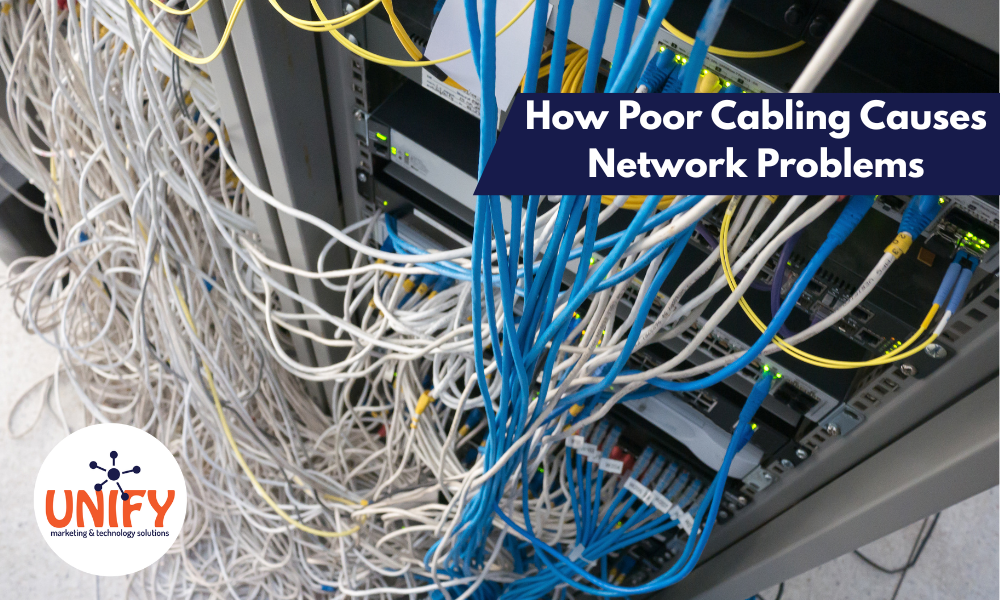
Voice traffic needs reliable connectivity. Poor Wi-Fi, damaged cabling, overloaded network equipment, or configuration problems can affect call performance regardless of what type of phone an employee uses.
A professional business phone installation should consider the network supporting the phones, not just the phones themselves.
UNIFY's phone installation process includes network integration and optimization, testing, and call-quality verification. Businesses experiencing recurring network issues can also review UNIFY's PC Hardware & Networking services and Cabling & Wiring services.
Reliable communications start with reliable infrastructure.
Security and Management Should Be Part of the Decision
Adding flexible devices also means thinking about how business communications are managed.
If employees can use computers and smartphones to access the phone system, businesses should have clear policies for company accounts, passwords, devices, and employee access.
When an employee leaves, their phone-system access should be removed along with access to email, company files, and other business applications.
Businesses using a broader managed IT service can coordinate phone access with the rest of their employee onboarding and offboarding procedures.
This becomes increasingly important as organizations use more cloud-based tools.
You Do Not Have to Choose Just One
For many businesses, the best answer to desk phones versus softphones is simply: both.
A company might provide:
- Desk phones for receptionists and administrative staff
- Softphones for remote employees
- Mobile applications for managers
- Desk phones plus softphone access for salespeople
- Physical phones in conference rooms
- Browser-based calling for temporary or flexible workstations
Modern business phone systems can support different working styles within the same organization.
For example, an employee can use a desk phone while in the office and a mobile or browser-based softphone when working somewhere else. Calls can still originate from and return to the same business phone system.
That flexibility allows the technology to fit the employee instead of forcing the employee to fit the technology.
Choosing the Right Setup for Your Team
Before deciding how many desk phones or softphone licenses your business needs, look at how each employee actually works.
Ask questions such as:
- Does this person spend most of the day at one desk?
- How many calls do they typically handle?
- Do they frequently transfer calls?
- Do they work remotely?
- Do they travel between locations?
- Do they need to answer calls from a mobile device?
- Are they already wearing a headset throughout the day?
- Do they need CRM integration?
- Should they be reachable outside the office?
- Would a dedicated device make their job easier?
Those answers can help determine the right combination.
A manufacturing office may need desk phones at fixed workstations while managers use mobile applications around the facility. A professional services company may have hybrid employees using mostly softphones. A medical office may rely heavily on physical phones at reception and administrative desks.
Businesses across Northwest Ohio and Southeast Michigan have very different communication requirements. The right system should reflect the way your organization operates rather than following a one-size-fits-all design.
Build a Phone System Around How Your Team Works
The debate between desk phones and softphone systems is not really about which technology is better.
It is about which tool works better for each employee.
Desk phones provide a familiar, dedicated device that can be ideal for employees who spend most of their day handling calls from one location. Softphones provide flexibility for employees who work remotely, move between offices, travel, or spend most of their day on a computer.
Modern cloud and on-premise business phone systems can bring both options together.
Unify Marketing & Technology Solutions helps businesses throughout Northwest Ohio and Southeast Michigan design, install, configure, and support communication systems based on the way their teams actually work. From cloud PBX and softphones to desk phones, call routing, network integration, and professional business phone installation, the goal is to create a system that makes communication easier for employees and customers.
Frequently Asked Questions
What are softphone systems?
Softphone systems allow employees to make and receive business calls through software, a web browser, computer, tablet, or smartphone instead of relying exclusively on a physical desk phone. They can provide access to extensions, voicemail, call history, transfers, contacts, and other business phone features.
Are softphones better than desk phones?
Neither option is automatically better. Softphones are often ideal for remote, hybrid, and mobile employees, while desk phones can be more convenient for receptionists, administrative employees, and others who handle a high volume of calls from a fixed workspace.
Can my business use desk phones and softphones together?
Yes. Modern business phone systems can support both. Employees can use different devices based on their role, and some employees may use a desk phone in the office while also having softphone access when working remotely.
Do employees need to use their personal phone number with a softphone?
Not necessarily. A business softphone application can allow an employee to make and receive calls through the company's phone system rather than giving customers their personal mobile number.
Can a softphone work from a web browser?
Yes, depending on the phone platform. U-Reach Cloud PBX provides a web application that allows users to access calling and other communication features from a browser without needing a traditional desk phone.
Do softphones require a headset?
A headset is not always technically required, but it can provide a more comfortable experience for employees making frequent calls from a computer. The appropriate equipment depends on how often the employee uses the softphone and their work environment.
Are softphones good for remote employees?
Yes. Remote and hybrid work is one of the strongest use cases for softphone systems because employees can access business calling capabilities without being physically located beside their office desk phone.
Is business phone installation still important with cloud phones?
Yes. Even though a cloud PBX reduces the amount of on-site phone-system hardware required, proper configuration, call routing, user setup, network integration, testing, and employee training are still important.
Does internet quality affect VoIP desk phones and softphones?
Yes. Both depend on network connectivity when calls are using VoIP. Network reliability, Wi-Fi coverage, cabling, switching, and internet performance can all affect the user experience.
How do I decide which employees need desk phones?
Consider where employees work, how many calls they handle, whether they transfer calls frequently, whether they travel, and whether they need remote access. Receptionists and high-volume phone users may prefer desk phones, while remote and mobile employees may benefit more from softphones.
Can Unify help us move from an older phone system?
Yes. Unify provides cloud and on-premise business phone systems, system design, configuration, business phone installation, network integration, testing, training, and ongoing support. A new system can be planned around a combination of desk phones and softphones based on your organization's needs.