



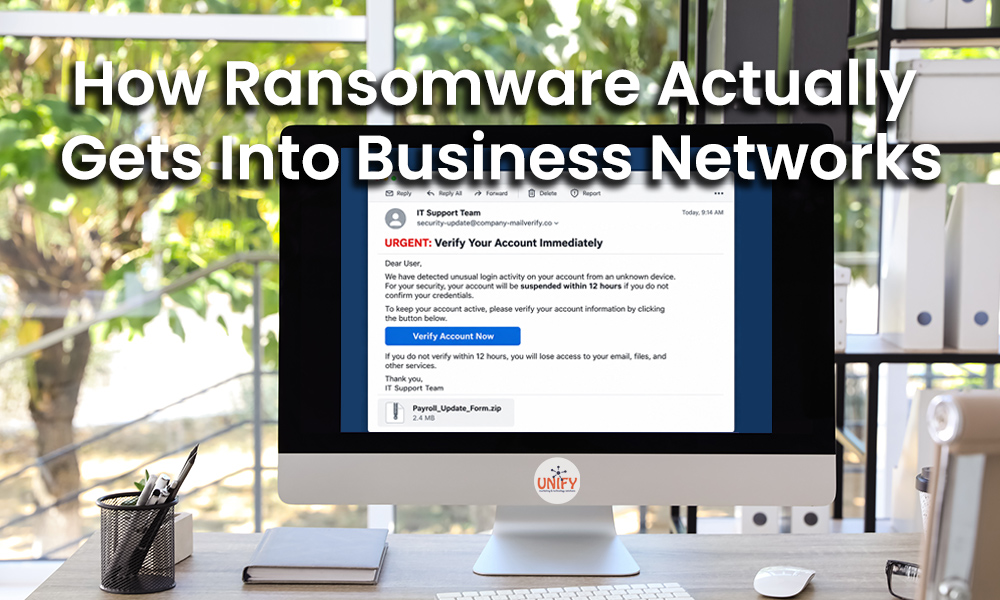
Ransomware is often pictured as a hacker sitting behind a computer and somehow forcing their way through a company’s firewall. In reality, many ransomware attacks begin much more quietly.
An employee clicks a convincing link. A password is stolen. A computer misses an important security update. An old remote access account is left active. A malicious attachment looks like an ordinary invoice. In many cases, attackers do not need to “break in” at all. They find an open door and use it.
Understanding how ransomware gets into a business network is one of the most important steps your organization can take to prevent ransomware.
At Unify Marketing & Technology Solutions, we work with businesses throughout Northwest Ohio and Southeast Michigan to protect computers, networks, accounts, and critical business data. Effective ransomware protection is not based on one antivirus program or security product. It requires multiple layers of security designed to stop an attack at different stages.
Here is how ransomware actually gets into business networks and what businesses can do about it.
1. Phishing Emails and Malicious Links
Email remains an important attack vector because criminals can target employees directly.
A phishing email may appear to come from a customer, coworker, Microsoft 365, financial institution, delivery company, or other familiar organization. The message might ask the recipient to review a document, reset a password, view an invoice, or sign into an account.
The goal is usually to convince the employee to take an action.
That could mean clicking a malicious link, opening an infected attachment, entering credentials into a fake login page, or downloading software.
Once attackers obtain valid credentials or gain access to a computer, they may use that foothold to move deeper into the organization.
This is why employee education is an important part of preventing ransomware attacks. Employees should know how to identify suspicious links, unexpected attachments, fake login pages, unusual MFA requests, and messages that create a false sense of urgency.
UNIFY offers cybersecurity awareness training designed to help employees recognize these threats before they become security incidents.
2. Stolen or Weak Passwords
Sometimes attackers do not need malware to gain initial access. They simply log in.
Passwords can become compromised through phishing, previous data breaches, password reuse, malware, or other credential theft techniques.
For example, imagine an employee uses the same password for a personal online account and a business account. If the personal service suffers a data breach, criminals may attempt that email address and password combination against Microsoft 365, remote access services, and other business applications.
Multi-factor authentication can significantly strengthen account security by requiring another form of verification beyond the password.
Businesses should also eliminate shared accounts whenever practical, disable unused accounts, review user permissions, and make sure former employees lose access promptly.
Good identity management is an essential component of ransomware protection because a legitimate username and password in the wrong hands can give an attacker a powerful starting point.
3. Unpatched Computers and Software
Software vulnerabilities are another way attackers can gain access to business systems.
Operating systems, browsers, applications, servers, firewalls, and other technology regularly receive security updates. Some of these updates correct vulnerabilities that could otherwise be exploited.
The problem is that updates are easy to postpone.
Employees may click “remind me later” because they do not want to restart their computers. Older applications may no longer receive updates. Network equipment may run outdated firmware for years without anyone checking it.
Over time, these gaps can create unnecessary opportunities for attackers.
A proactive managed IT service can help centralize patching, system maintenance, monitoring, and endpoint security rather than relying on individual employees to keep everything updated.
If your goal is to prevent ransomware, patch management should be a routine process rather than something addressed only after a security problem occurs.
4. Compromised Remote Access
Remote access is extremely useful for businesses, especially with employees working from home, traveling, or accessing systems across multiple locations.
However, remote access must be properly secured.
Poorly configured remote desktop services, outdated VPN appliances, stolen remote access credentials, unauthorized remote-control software, and forgotten accounts can all create risk.
Businesses should know exactly which remote access methods are approved and who is authorized to use them.
Remote access should be protected with strong authentication, appropriate firewall rules, current software, limited user permissions, and monitoring whenever possible.
If an old remote access tool is no longer necessary, remove it. Every unnecessary service or account creates another potential entry point that has to be protected.
5. Malicious Downloads and Fake Software
Not every ransomware attack begins with an email.
Attackers can also disguise malicious software as legitimate downloads, browser extensions, utilities, updates, or free applications.
An employee searching online for a PDF converter, file utility, remote support application, or other program may unknowingly install something dangerous.
Businesses can reduce this risk by limiting unnecessary administrative permissions and establishing rules for software installation.
Employees should know that downloading random software to a company computer is not harmless. If a program is needed for work, it should come from a trusted source and, when appropriate, be reviewed by IT before installation.
What Happens After an Attacker Gets In?
Initial access is only the beginning.
Modern ransomware attacks may involve several stages. An attacker can gain access to one account or device and then look for ways to expand that access.
They may search for additional credentials, shared folders, servers, administrative accounts, backup systems, or other valuable resources.
This is why ransomware protection cannot focus exclusively on stopping a malicious file from running.
A strong security strategy should also make it difficult for an attacker to move throughout the network.
Network segmentation, properly configured firewalls, restricted administrative privileges, endpoint security, and continuous monitoring can all help reduce the potential impact of a compromised device.
UNIFY’s network security services combine network monitoring, security updates, vulnerability assessments, and other protections with a broader cybersecurity strategy.
Antivirus Alone Is Not Enough
Traditional antivirus remains useful, but businesses should not expect a single security application to stop every ransomware attack.
Consider a phishing attack where an employee willingly enters a valid username and password into a fake Microsoft 365 page. There may not be a traditional virus for antivirus software to detect.
That is why modern security uses layers.
A business security strategy may include:
- Endpoint and ransomware protection
- Managed Detection and Response (MDR)
- Multi-factor authentication
- Email security
- Security awareness training
- Patch management
- Network security
- Access controls
- Secure backups
- Continuous monitoring
If one security layer fails, another may still identify or stop suspicious activity.
UNIFY's PC protection and managed IT services combine endpoint security, monitoring, patch management, MDR services, and ransomware protection to provide multiple layers of defense.
Backups Are Part of Ransomware Protection
Even strong security cannot guarantee that an attack will never succeed.
That is why backups are an essential part of preventing ransomware attacks from becoming catastrophic business events.
If ransomware encrypts important files, a reliable backup may provide a path to restoring that information without relying on the encrypted copies.
However, simply having a backup is not enough.
Businesses should know:
- What information is being backed up
- How frequently backups run
- How long backups are retained
- Whether failed backup jobs are monitored
- Whether critical systems can be restored
- How long recovery is expected to take
- Whether restoration has actually been tested
UNIFY recommends treating backup and recovery as part of a larger cybersecurity and business continuity strategy, rather than waiting until data is already lost to determine whether recovery is possible.
You can learn more about data recovery and protection and the importance of maintaining recoverable business information.
How Businesses Can Prevent Ransomware
There is no single setting that makes a business immune to ransomware.
The most effective strategy is to make each stage of an attack more difficult.
Security awareness training makes phishing less effective. Multi-factor authentication makes stolen passwords less useful. Patching closes known vulnerabilities. Endpoint protection can identify malicious activity. Network security makes unauthorized movement more difficult. MDR can help identify and contain suspicious behavior. Backups provide another recovery option if other defenses fail.
Most importantly, these protections need to be actively managed.
A firewall installed five years ago and never updated is not a complete security strategy. Neither is antivirus software that nobody monitors or a backup that has never been tested.
Businesses should regularly review their technology environment and ask where an attacker could get in, what they could access if they did, and how quickly the organization could detect and respond to the activity.
Build Multiple Barriers Between Attackers and Your Business
Ransomware does not always arrive through a dramatic technical breach. It may start with a convincing email, reused password, forgotten account, outdated computer, or unsafe download.
That makes preventing ransomware attacks a company-wide responsibility.
Employees need to understand the threats they encounter. Computers and servers need to stay patched. Accounts need strong authentication. Networks need proper security controls. Suspicious activity needs to be monitored. Critical data needs reliable backups.
For businesses in Northwest Ohio and Southeast Michigan, UNIFY can help evaluate these different layers and identify weaknesses before they become serious security incidents.
The goal is not to rely on one tool to prevent ransomware. It is to build a security environment where attackers have fewer opportunities to get in, less freedom to move if they do, and a much harder time turning one compromised account or computer into a company-wide disaster.
Frequently Asked Questions
How does ransomware usually get into a business network?
Ransomware can enter through phishing emails, malicious attachments, stolen credentials, unpatched software, insecure remote access, compromised websites, and malicious downloads. Attackers may initially compromise just one user or computer before attempting to gain broader access.
What is the best way to prevent ransomware?
There is no single solution. Businesses should use layered security that includes endpoint protection, multi-factor authentication, patch management, email security, employee awareness training, network security, monitoring, MDR, and reliable backups.
Can antivirus prevent ransomware?
Antivirus and endpoint protection are important components of ransomware protection, but they should not be the only defense. Some attacks begin with stolen credentials or legitimate remote access rather than a traditional malicious file.
Does multi-factor authentication help prevent ransomware?
Yes, MFA can make it more difficult for an attacker to use a stolen password. However, MFA should be combined with employee training, account monitoring, secure configurations, and other security measures.
Can ransomware spread from one computer to another?
Depending on the ransomware and the access an attacker obtains, an incident that begins on one computer may affect shared resources or additional systems. Network security, restricted permissions, endpoint protection, and monitoring can help limit this risk.
Are backups enough to protect against ransomware?
Backups are an important recovery layer, but they do not prevent the initial attack. Businesses should combine secure, monitored, and tested backups with preventive cybersecurity measures.
How often should businesses review their ransomware protection?
Cybersecurity should be continuously maintained. Software updates, monitoring, backups, and endpoint protection require ongoing attention, while broader security policies, employee access, training, and recovery plans should be reviewed regularly and whenever the business or its technology changes.