

A new employee’s first day should focus on meeting the team, understanding their responsibilities, and learning how the business operates. It should not be spent waiting for a computer, requesting passwords, or troubleshooting access to essential software.
Preparing technology before a new hire arrives creates a more professional onboarding experience and allows the employee to become productive sooner. It also helps protect company data by ensuring that access, security, and equipment are configured correctly from the beginning.
Here is what your business should have ready before a new employee’s first day.
Prepare and Update the Employee’s Computer
The employee’s computer should be selected, configured, and tested before they arrive. Whether your business is providing a desktop or laptop, the device should meet the performance requirements of the employee’s role.
A professional PC maintenance service can help prepare the computer by completing tasks such as:
- Installing operating system updates
- Applying current security patches
- Removing unnecessary software
- Installing approved business applications
- Configuring antivirus and endpoint protection
- Checking device performance and storage
- Setting up remote monitoring and support
- Confirming that connected equipment works
Printers, monitors, docking stations, webcams, headsets, and other accessories should also be connected and tested. Addressing these details early prevents simple equipment problems from disrupting the employee’s first week.
Create Accounts Before the Start Date
Every employee should receive their own account. Sharing usernames and passwords makes it difficult to protect information, monitor access, and remove permissions when someone leaves the company.
Depending on the employee’s role, accounts may be needed for:
- Computer sign-in
- Business email
- Microsoft 365 or other cloud platforms
- File storage and shared folders
- Customer relationship management software
- Accounting or industry-specific applications
- Phone and voicemail systems
- Remote access tools
- Internal messaging platforms
Each account should provide only the access required for the employee’s responsibilities. This principle, commonly called least-privilege access, reduces the amount of information exposed if an account becomes compromised.
Enable Multi-Factor Authentication
Passwords alone should not protect important business systems. Multi-factor authentication adds another verification step, such as an authentication application, security key, or mobile approval prompt.
Multi-factor authentication should be configured for email, cloud storage, remote access, financial applications, and other systems containing sensitive data.
The employee should also be shown how legitimate verification prompts work. Unexpected prompts can indicate that someone else is attempting to access the account and should be reported immediately.
Configure Email and Email Encryption
The employee’s email account should be active and tested before the first day. Their signature, shared mailboxes, contact groups, calendars, and mobile access should also be configured when required.
Employees who send sensitive customer, financial, healthcare, legal, or personnel information may also need access to email encryption.
Email encryption helps protect confidential messages and attachments while they are being delivered. The new employee should understand:
- When an encrypted message is required
- How to encrypt an email
- How recipients access protected messages
- Which information should never be sent through standard email
- Who to contact when secure delivery fails
Providing these instructions during onboarding reduces the risk of an employee accidentally exposing sensitive information.
Assign the Correct Software and Licenses
Installing every application on every employee’s computer creates unnecessary costs and security risks. Software should be assigned according to the person’s actual job responsibilities.
Before the employee begins, confirm that the business has available licenses for all required platforms. Applications should be installed from approved sources and configured using company-managed accounts.
A PC maintenance service can help standardize software across the organization, deploy approved applications, monitor updates, and remove outdated programs that may create vulnerabilities.
Provide Cyber Security Awareness Training for Employees
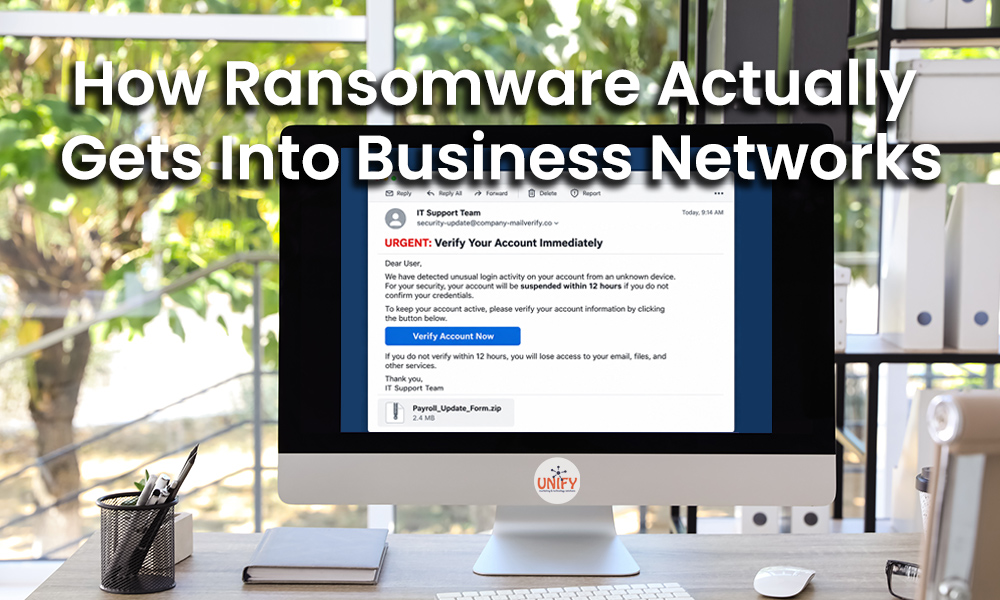
New employees are common targets for phishing and impersonation attacks. Criminals may send fake messages that appear to come from a manager, vendor, coworker, or human resources representative.
Providing cyber security awareness training for employees during onboarding helps new hires recognize threats before they cause damage.
Training should cover:
- Phishing emails and fake login pages
- Suspicious links and attachments
- Password security
- Multi-factor authentication requests
- Social engineering
- Payment and gift card scams
- Safe handling of confidential information
- Reporting suspicious activity
Security training should not be limited to a single onboarding presentation. Ongoing lessons and phishing simulations reinforce good habits and help employees respond to changing threats.
Review File Access and Data Storage
Employees should know where business documents belong. Without clear instructions, they may store important files on a local desktop, personal cloud account, removable drive, or unapproved file-sharing service.
Before day one, configure access to the appropriate shared folders, cloud storage locations, and team resources. Explain which files can be shared externally and which information requires additional protection.
The employee should also understand how company data is backed up and why files should be saved only in approved locations.
Configure Phones and Communication Tools
If the employee needs a desk phone, mobile application, extension, voicemail box, or internal messaging account, these tools should be ready before they arrive.
Test inbound and outbound calling, voicemail access, call transfers, headsets, and any remote calling features. The employee should receive basic instructions for commonly used phone functions and know how to request help.
Document the Equipment Assigned to the Employee
Maintain a record of every device and accessory issued to the new employee. Documentation may include:
- Computer make, model, and serial number
- Monitor and docking station
- Mobile phone or tablet
- Headset and other accessories
- Software licenses
- Security keys
- Building access cards
Accurate records make maintenance, replacement planning, security investigations, and offboarding easier.
Test Everything Before Day One
The final step is to test the complete setup from the employee’s perspective. Sign in to the computer, open required applications, confirm file access, test email, and verify that security tools are active.
Unify Marketing & Technology Solutions provides proactive PC protection, remote monitoring, patch management, email encryption, cybersecurity awareness training, and ongoing technical support for businesses across Northwest Ohio.
A structured onboarding process supported by a professional PC maintenance service helps new employees begin with secure, reliable technology from their first day.
Frequently Asked Questions
When should a new employee’s computer be prepared?
The computer should ideally be configured and tested several business days before the employee’s start date. This allows time to resolve equipment, licensing, or account problems.
What is included in a PC maintenance service?
A PC maintenance service may include remote monitoring, software updates, security patching, performance optimization, endpoint protection, troubleshooting, and proactive system health checks.
Why does each employee need a separate account?
Individual accounts improve security, accountability, and access management. They also allow the business to quickly disable one employee’s access without disrupting other users.
Should new employees receive cybersecurity training immediately?
Yes. Cyber security awareness training for employees should begin during onboarding because new hires may be unfamiliar with company procedures and are often targeted by phishing attacks.
When should an employee use email encryption?
Email encryption should be used when sending sensitive or regulated information, including financial records, personal information, healthcare data, legal documents, or confidential business materials.